SPENDING PROTECTION
Gift Guard
A mobile app giving TikTok LIVE gifters the spending protection the platform deliberately withholds. Built on real behavioral research. 9 users, all of whom had already overspent. Give freely. Spend wisely.
IXD 414
MOBILE APP
UX RESEARCH
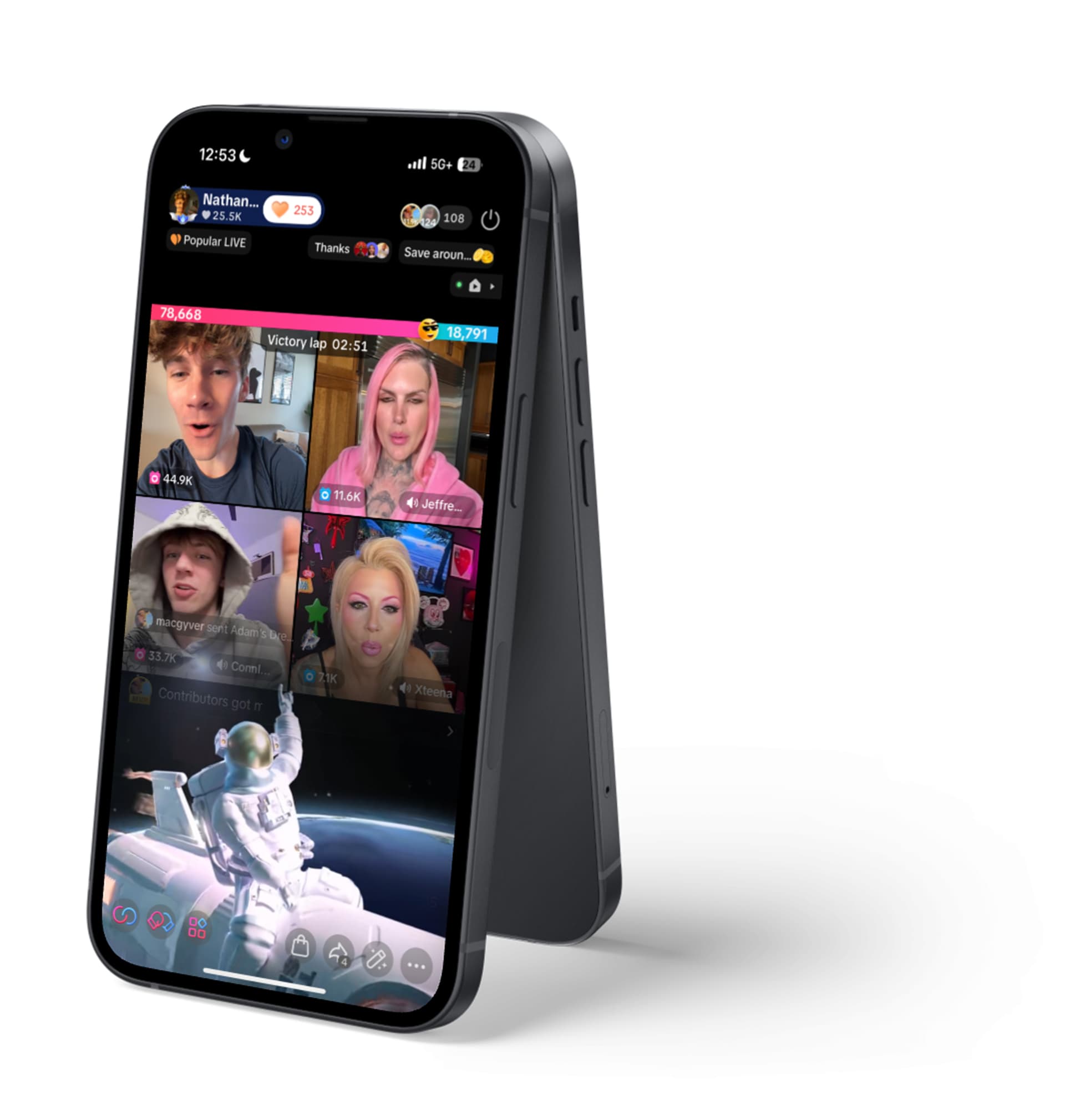
Brief about TikTok Live
TikTok is engineered to keep gifters from caring
which can lead to extreme overspending
What I Thought
A visibility problem.
Show people the dollars. Add a total. Let math do the rest. Simple and easy fix.
What the Research Showed
A context problem.
Coin wallets abstract real money. Battles create urgency. Fan Clubs tie spending to identity. The dollar total is the last thing anyone sees.
4
psychological mechanisms working together


Two inputs shaped the form before
I asked anyone a question.
INPUT 1
Platform deep-research
Reviewed TikTok's public developer surface, Data Portability exports, and the reverse-engineered Webcast ecosystem (TikFinity, TikLeap, tiktok-live-connector) to map what is technically possible to observe, officially or otherwise.
No public gift-event API
Data Portability exposes history, not real-time
Reverse-engineered feeds carry ToS risk
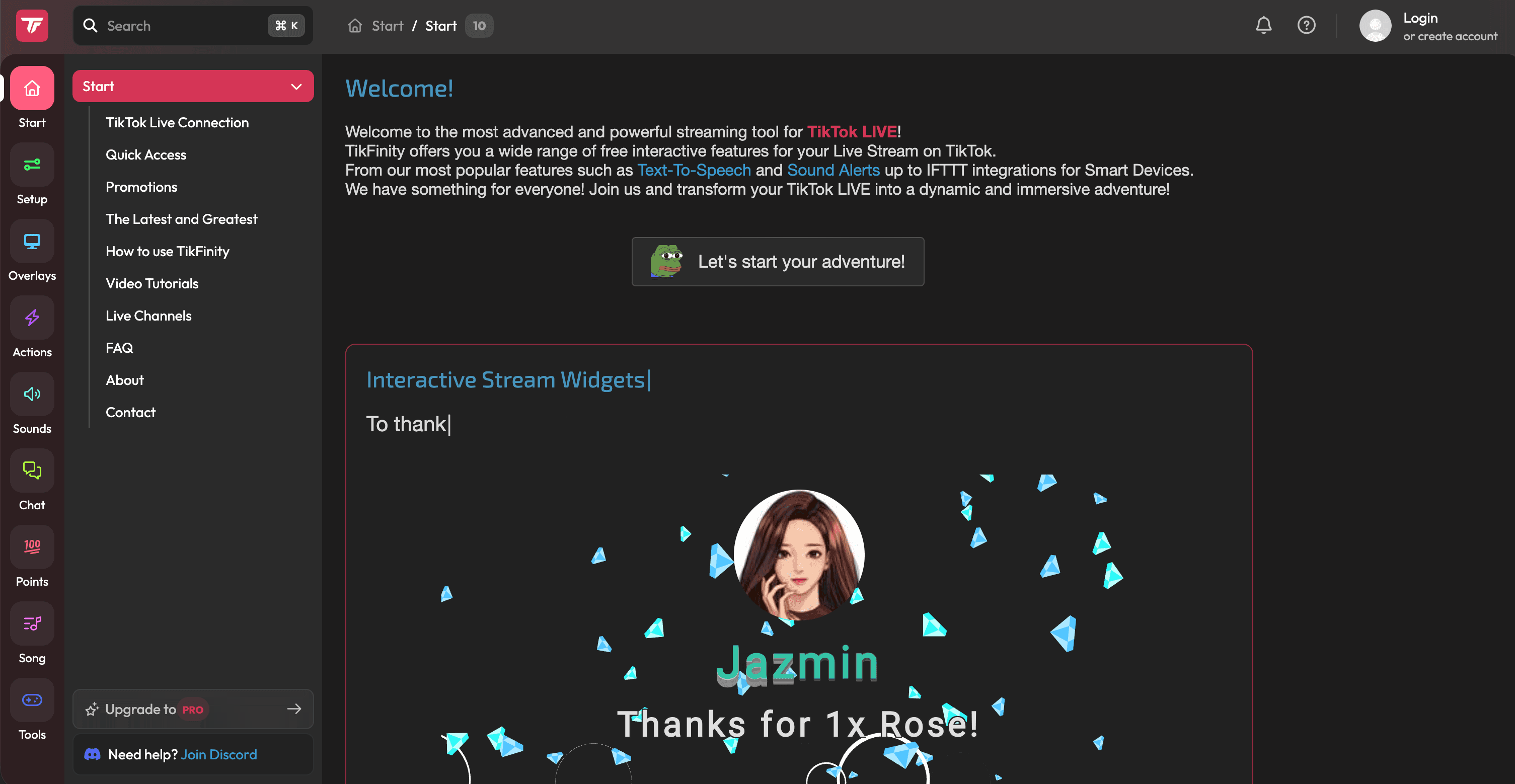
tikfinity.com
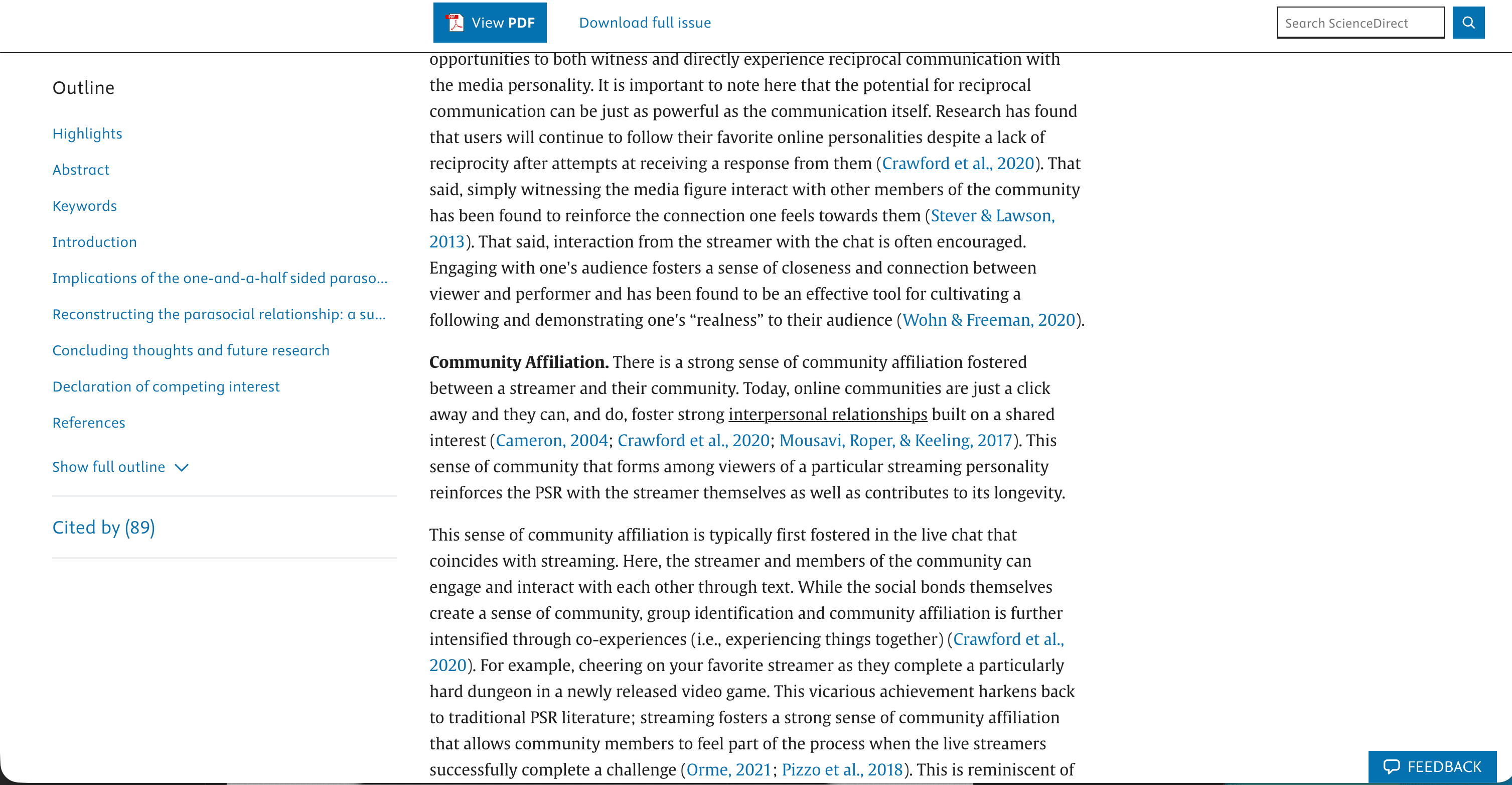
sciencedirect.com/science/article/pii/S2451958821000981?
INPUT 2
Behavioral literature
Read the body of work on friction, pre-commitment, and coin/abstracted-currency pain-of-paying, plus existing writing on parasocial spending inside live-streaming communities.
Graduated friction beats hard stops
Pre-commitment beats in-moment restraint
Morning-after regret is a harm signal
The app can't access user's spending
Which raised the question, “what CAN we access?”
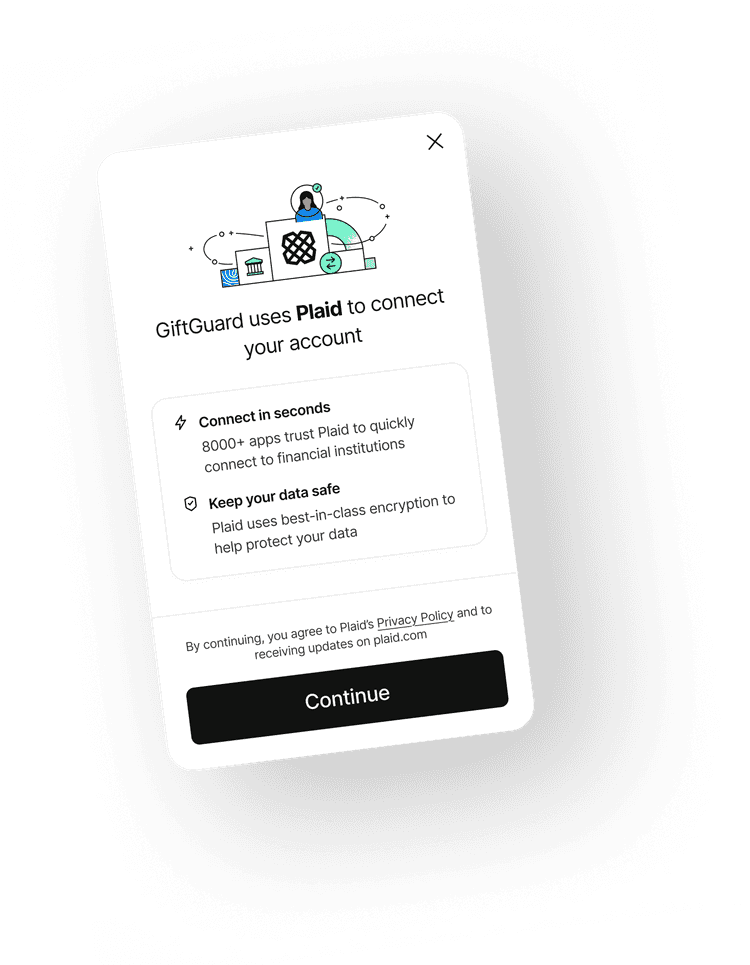
Knowing the app was feasible upfront allowed the insight form to be more focused.
SURVEY FINDING
The same three contexts came up across almost every respondent.
And so did the same two harm signals.
When are you most likely to overspend?
During battles
7/9
Late at night
6/9
When a creator needs support
6/9
When lonely
3/9
After drinking
3/9
When stressed or anxious
2/9
What's actually happened to you?
Spent more than intended
8/9
Reloaded after already spending
8/9
Felt regret afterward
5/9
Felt like I couldn't stop
3/9
Hid gifting from someone
3/9
Live Battle Gifter
Derek, 38
$1,000 / week avg.
“It's not really about the money. It's about winning. And then the bill comes.”
About
User Needs:
Battle mode as a home screen toggle, he's in battles every night
A separate battle budget so competition spending doesn't eat his overall budget
A high-risk mode he can pre-set before a night out
A translation for how much money he spends, coins don't feel real in the moment
Post-battle reflection so he starts new thinking about his habits
Plaid to catch all transaction reloads that he's lost count of
A friction layer before any mid-session reload, not just a notification
“The last 60 seconds of a battle I'm not thinking. My creator is down by 4,000 and someone's gotta do something. I reload and I send a Lion. Every time.”
Composite quote from R7 and R9 survey responses
Spend Triggers
Harm Signals
SURVEY FINDING
The respondents who wouldn't name a weekly spend were the ones showing the most harm.
"I don't want to know."
R8 · 45+, weekly spend declined
Felt regret · felt like couldn't stop · hid gifting
"Too much."
R5 · 45+, weekly spend declined
Spent more than intended · hid gifting
2/9
refused to quantify their weekly spend, and were also the most likely to report regret, hidden gifting, or loss of control. That meant the product couldn't demand a budget on day one.
KEY INSIGHT
They don't chase status. They chase connection.
"Stay on budget" doesn't land. "Protect yourself so you can keep supporting" does.
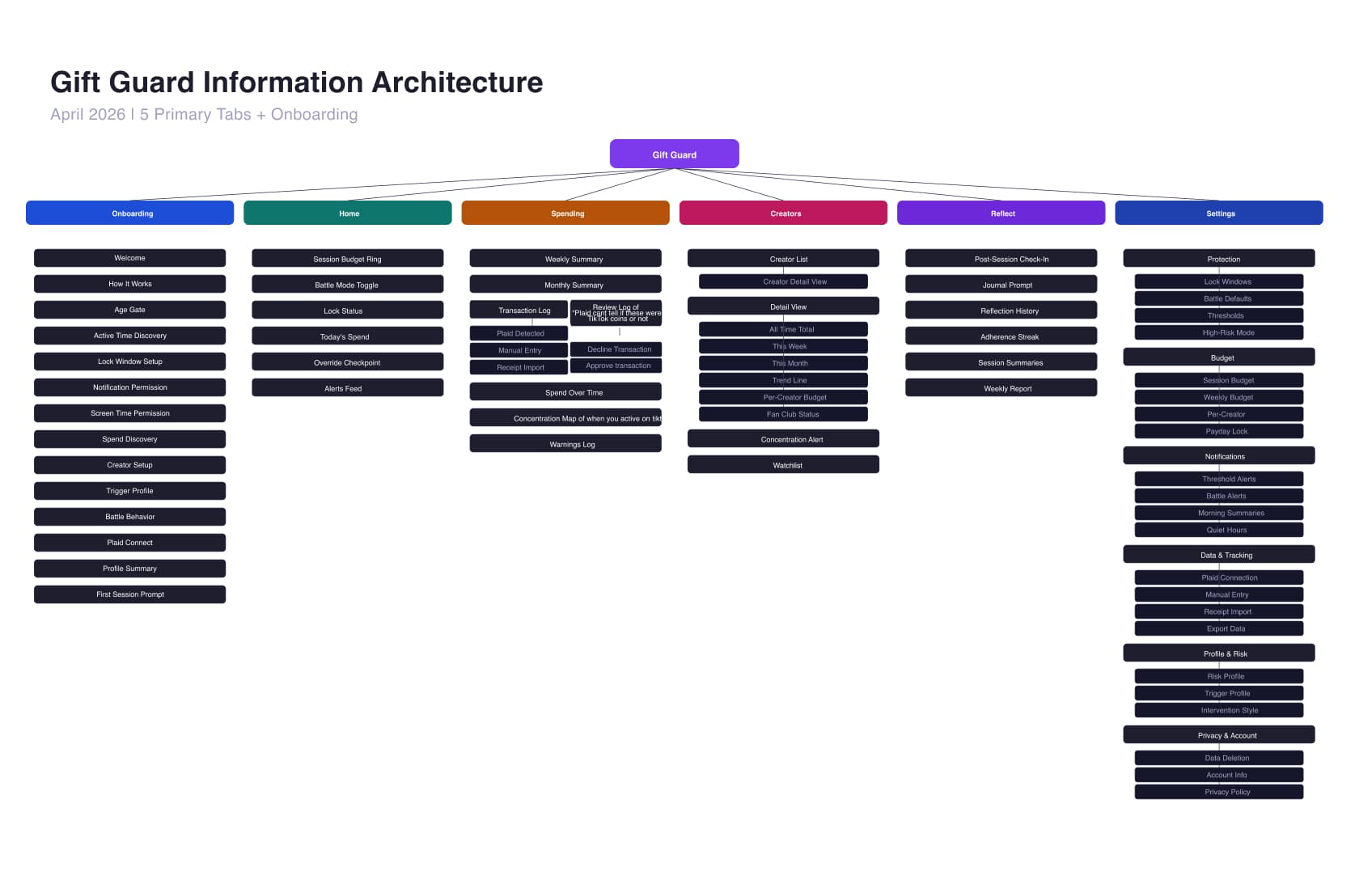
INFORMATION ARCHITECTURE
Mapping the system before designing the screens.
THE SOLUTION
Four systems working together.

Core Protection
Battle Mode toggle, front-and-center, not buried in settings
Soft warnings at 50%, 80%, and hard lock at 100%
Active Time Lock via iOS Screen Time API

Data & Tracking
Plaid bank integration, auto-detects TikTok charges
Per-creator spend breakdown with weekly callout
Baseline builder for users who say "I don't know"

Interventions
Emotion-aware copy, not cold budget warnings
Post-session reflection prompt, non-judgmental
Real-dollar translation on premium gifts above threshold

Motivation
Budget adherence streak replaces TikTok's reward loop
Creator concentration map flags spend over 50% to one creator
FEASIBILITY
Not every feature could ship. Here's what the data actually allows.
Feasible
Gap
GAMIFICATION SYSTEM
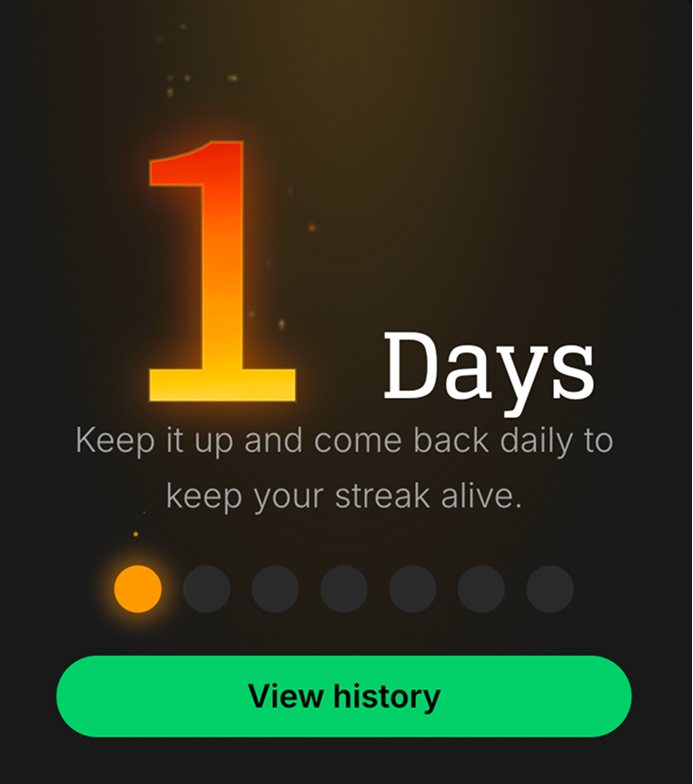
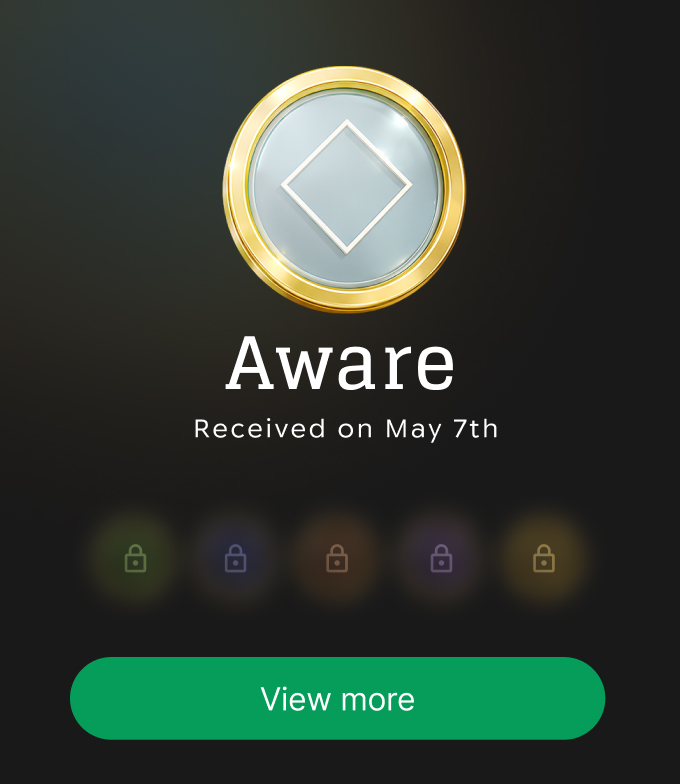
Two parallel systems. Rewarding consistency, rewarding growth.
Streaks are volatile, they reset on a missed day or overspend. Badges are permanent, points never decrease. Badges reward cumulative growth across the user's entire journey, while streaks reward daily discipline. A bad week doesn't erase months of progress.
Why this works.
Variable reward schedules
Exponential badge systems create stronger retention than linear ones because the gap between levels widens over time, the same mechanism behind slot machines and TikTok's own gifting rewards. Gift Guard deliberately uses this mechanic to reinforce protective behavior instead of harmful spending. (Skinner, 1938, variable ratio reinforcement)
Parallel motivation systems
Streaks operate on loss aversion, don't break the chain. Badges operate on identity, I am a Level 23 Steady. They target different psychological levers. B.J. Fogg's Tiny Habits research shows that combining immediate behavioral reinforcement with long-term identity formation produces stronger habit change than either system alone.
How it works
The badge ladder
Badges reward growth over long periods of time, not just daily streaks. The higher the tier, the rarer the achievement.
300 – 700 pts / level

1 – 5
Aware
Just starting, building the habit
850 – 6K pts / level

6 – 15
Grounded
Consistent reflection, first streaks
8K – 58K pts / level

16 – 25
Steady
Budget adherence, battle mode user
73K – 542K pts / level

26 – 35
Anchored
Long streaks, strong protection habits
678K – 5.1M pts / level

36 – 45
Guardian
Mastery of the system, high savings
6.3M – 15.4M pts / level

46 – 50
Gift Guard
Elite. The TikTok Level 50 equivalent
how it works
Points Economy
+20,000
Daily check-in
Every day
+30,000
Under-budget session
Per session
+25,000
Post-session reflection
Per session
+80,000
Battle mode activated
Per use (daily cap)
+50,000
Locked window honored
Per day, when applicable
+40,000
Override checkpoint: stayed
Per instance
+200,000
7-day streak bonus
Weekly
+2,000,000
30-day streak bonus
Monthly
+100,000
Badge level-up bonus
Per level (x50)
COMPARISON ENGINE
Not a warning. A mirror.
As spend accumulates, the app quietly translates it into something real. Not sarcastic, not shaming. Like a friend holding up a mirror at the right moment. The comparison is powered by Claude Haiku, personalized to the user's stated goals, and memory-aware so the same line never repeats until 20 others have been shown.
HOW THE AI WORKS
01
Context in
Spend amount, user's goal category, time of day, session context (battle mode, override attempt), and the last 20 comparisons shown.
02
Rules applied
Never repeat the last 20. Weight toward the user's category. Aggregate small amounts into weekly totals when a single session is under $15.
03
One line out
A single, tonal comparison string. Never sarcastic. Never shame-based. The system prompt encodes tone as a hard constraint, not a suggestion.
WHERE IT LIVES
PRIMARY
Home tab
Ambient line beneath the spend total, always visible, updates every session. Low friction, high frequency.
HIGHEST LEVERAGE
Override Checkpoint
Shown at the exact moment a user is deciding whether to unlock TikTok during a locked window. The comparison fires when the user is most capable of changing their mind.
REFLECTIVE
Weekly + Monthly overlays
In-app notification overlay triggered on day 7 and day 30 app opens. Monthly scope shows a larger, more significant comparison. $500/month hits differently as a vacation than as a weekly total.
POST-SESSION
Reflection prompt
After a session ends, the summary shows total spent with the comparison beneath it. The user is at their most clear-headed, not mid-battle.
ONBOARDING ADDITION
What are you saving toward?
One screen added after Spend Discovery. Multi-select tiles. This single input personalizes every comparison the user ever sees: someone saving for a car sees car comparisons, someone paying off debt sees debt payoff equivalents.
Travel
Flights, hotels, Airbnb, weekend trips
Paying off debt
Credit card minimums, loan payments, interest savings
Building savings
Emergency fund, down payment progress, investment contributions
Everyday expenses
Groceries, gas, bills, subscriptions
Something specific
Free text: user defines their own goal
COMPARISON TIERS
The lookup table maps dollar ranges to real-world items. The AI selects and personalizes within each tier. Comparisons rotate so no user sees the same line twice in 20 sessions.
$1-$10
A Chipotle burrito · A month of Spotify · A latte
$11-$25
A movie ticket · A paperback book · A pizza
$26-$50
A tank of gas · A nice dinner for one · A gym day pass
$51-$100
A month of Netflix + Hulu · A concert ticket · A nice pair of shoes
$101-$200
A car payment · A weekend Airbnb · A new video game + controller
$201-$500
A flight to a nearby city · A month of groceries · A new phone bill
$501-$1,000
A round-trip flight · A month of rent · A semester textbook set
$1,001+
A used car down payment · A weekend vacation for two · A laptop and accessories
ONBOARDING
14 screens.
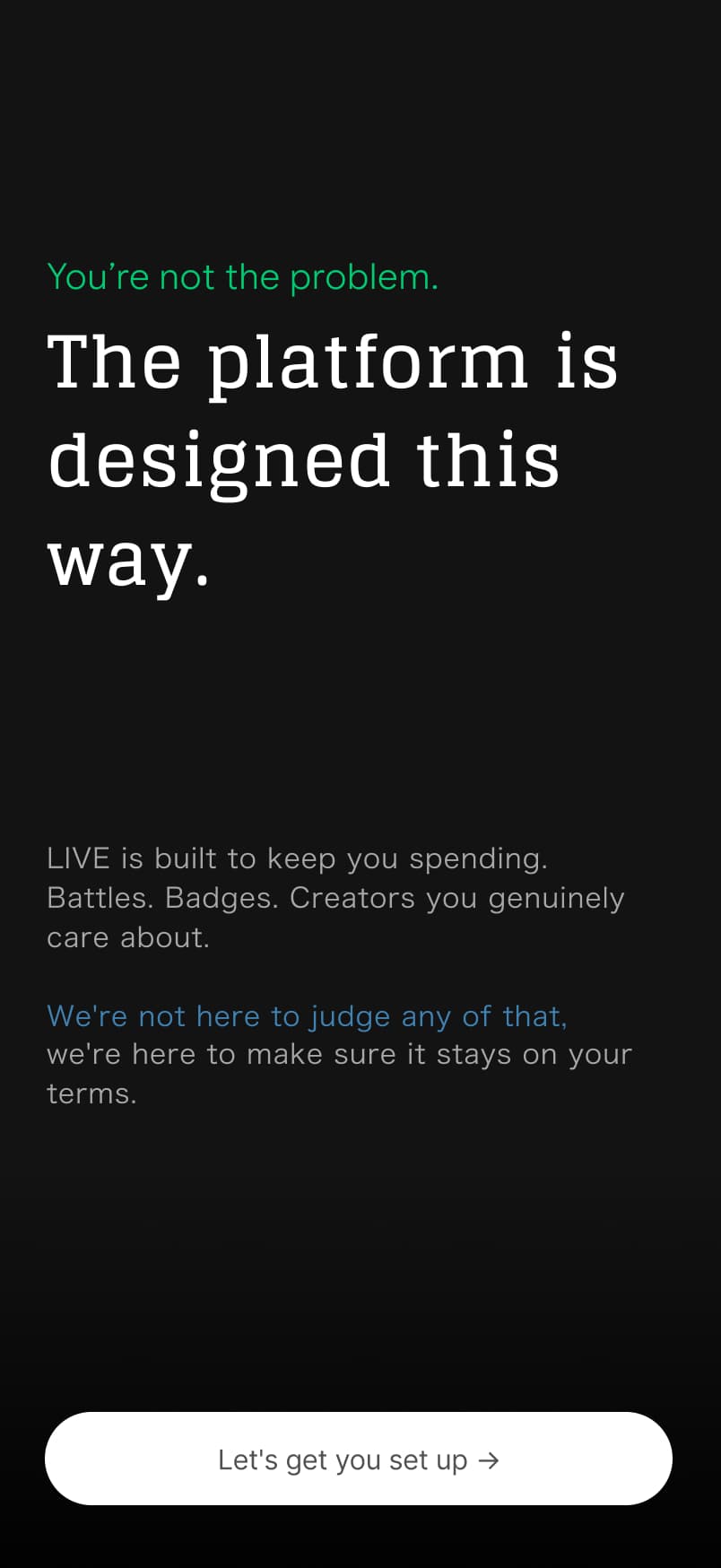
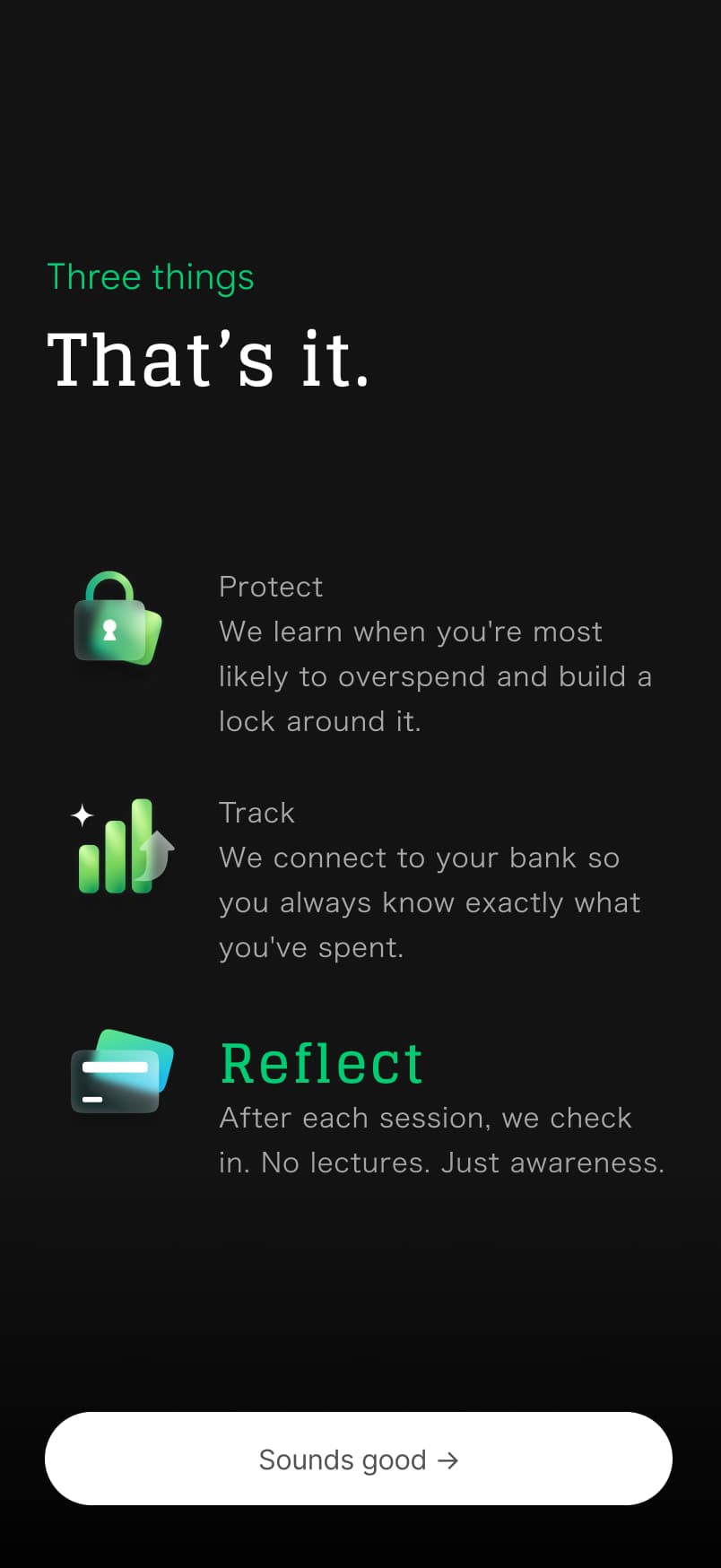
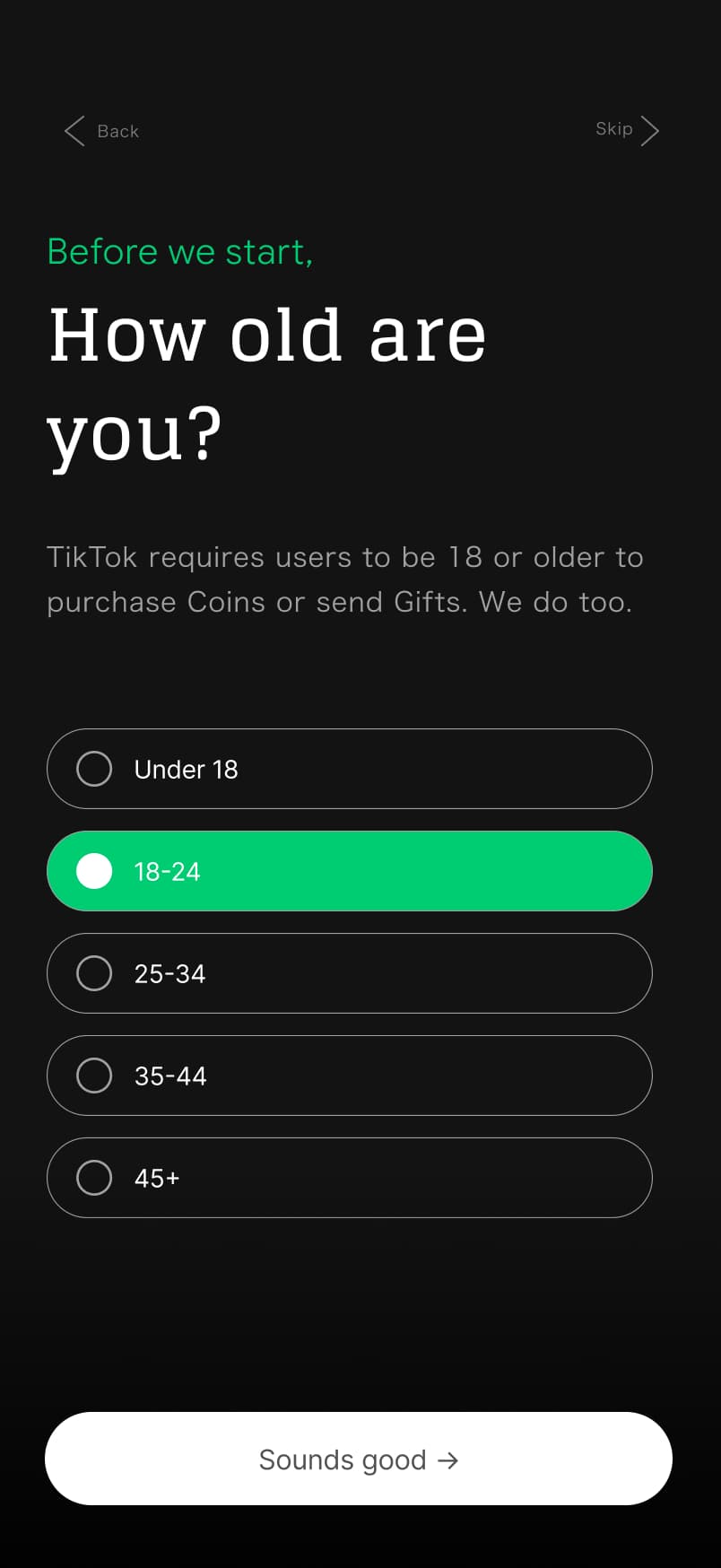
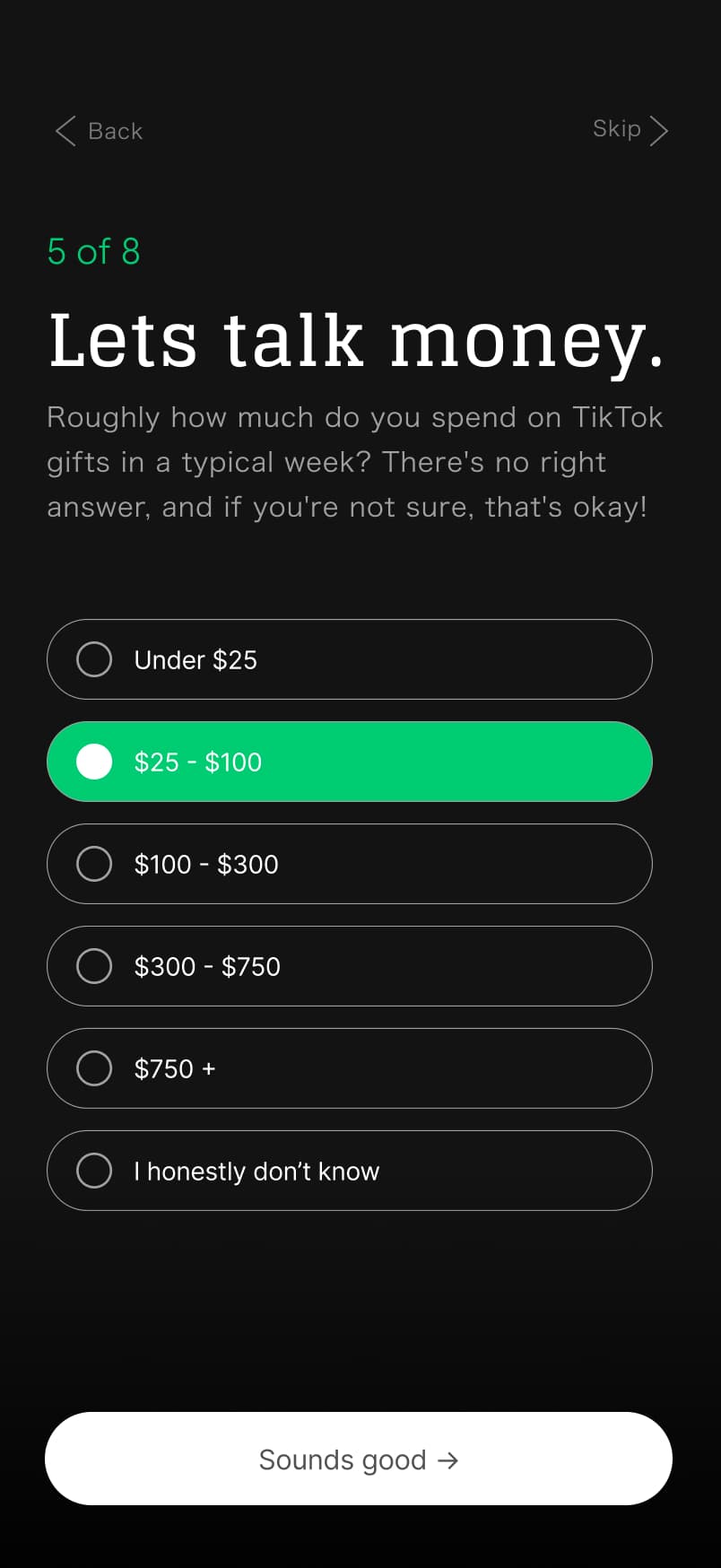
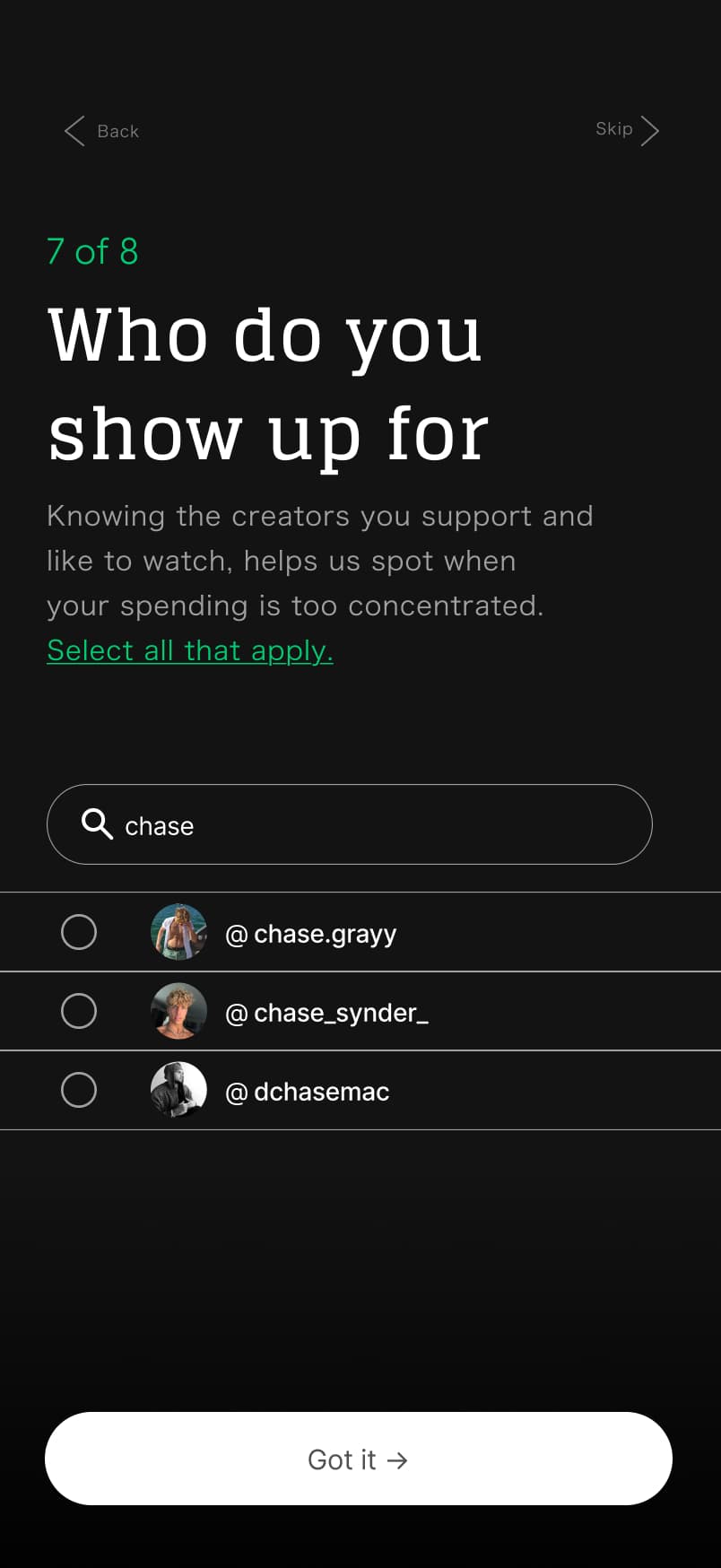
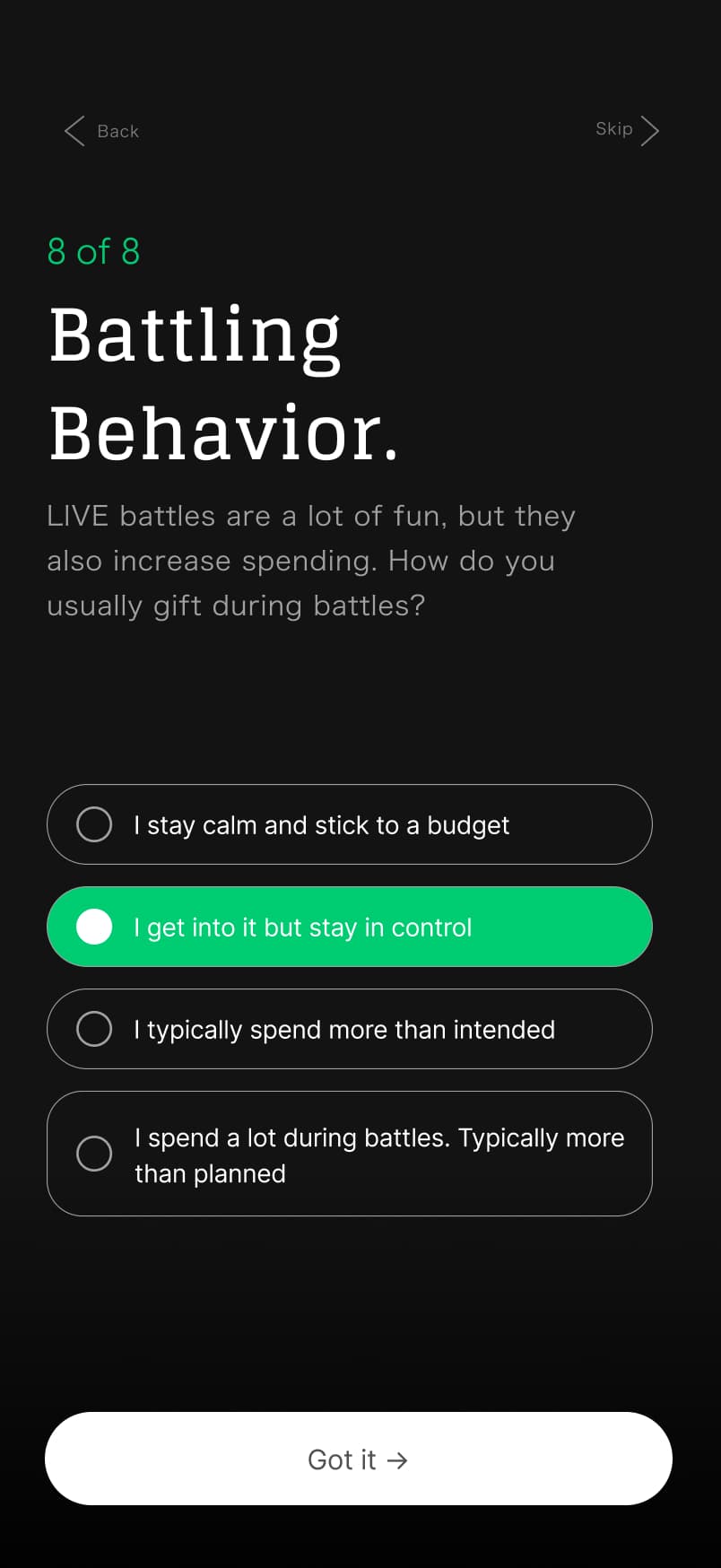
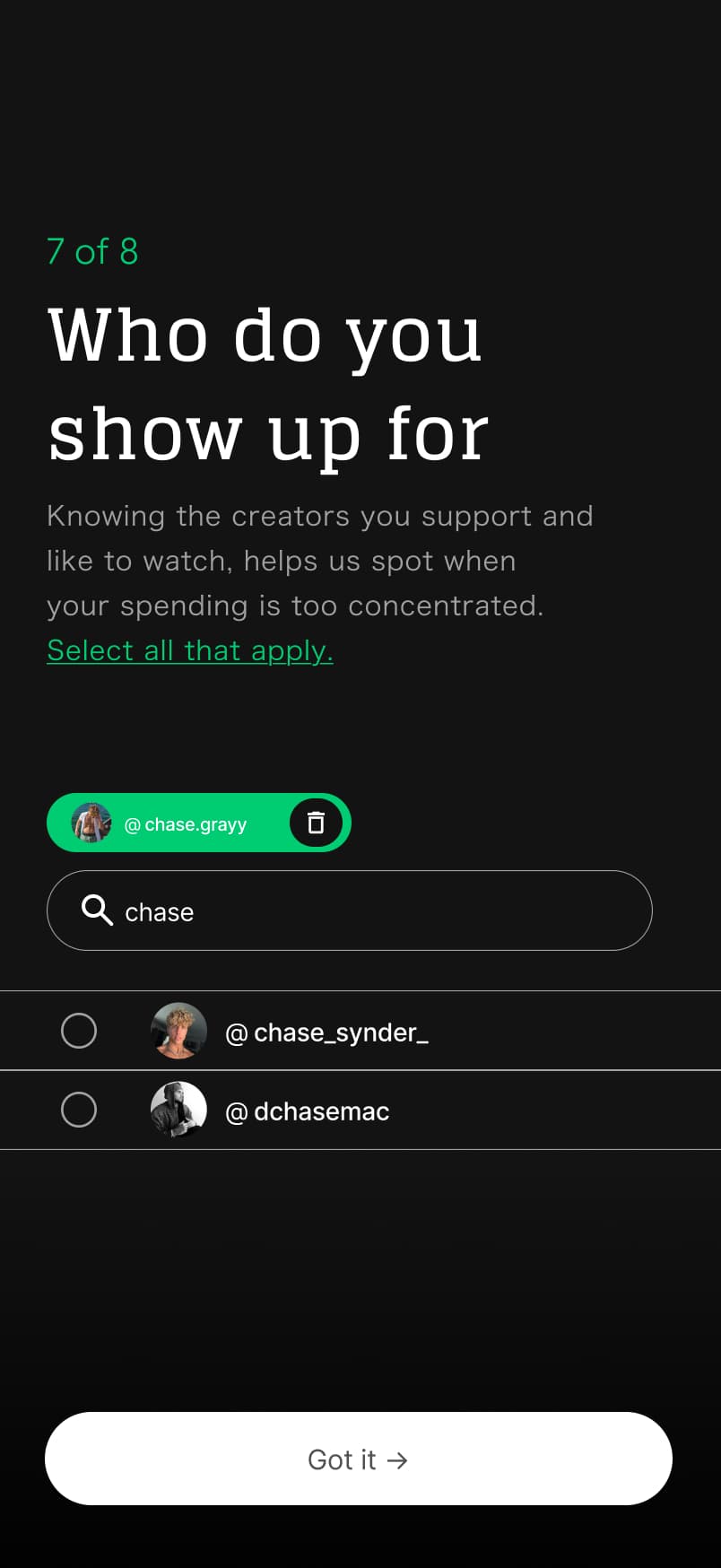
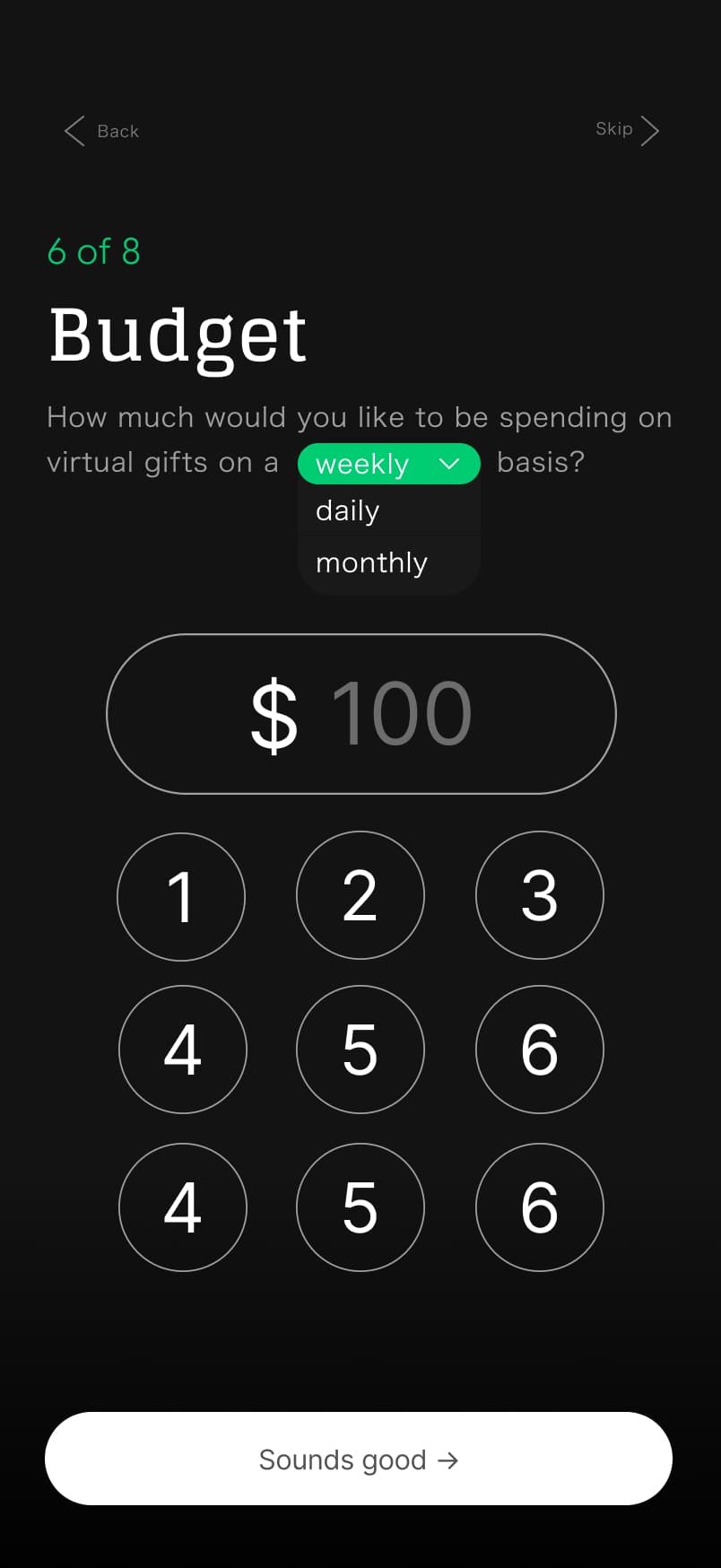
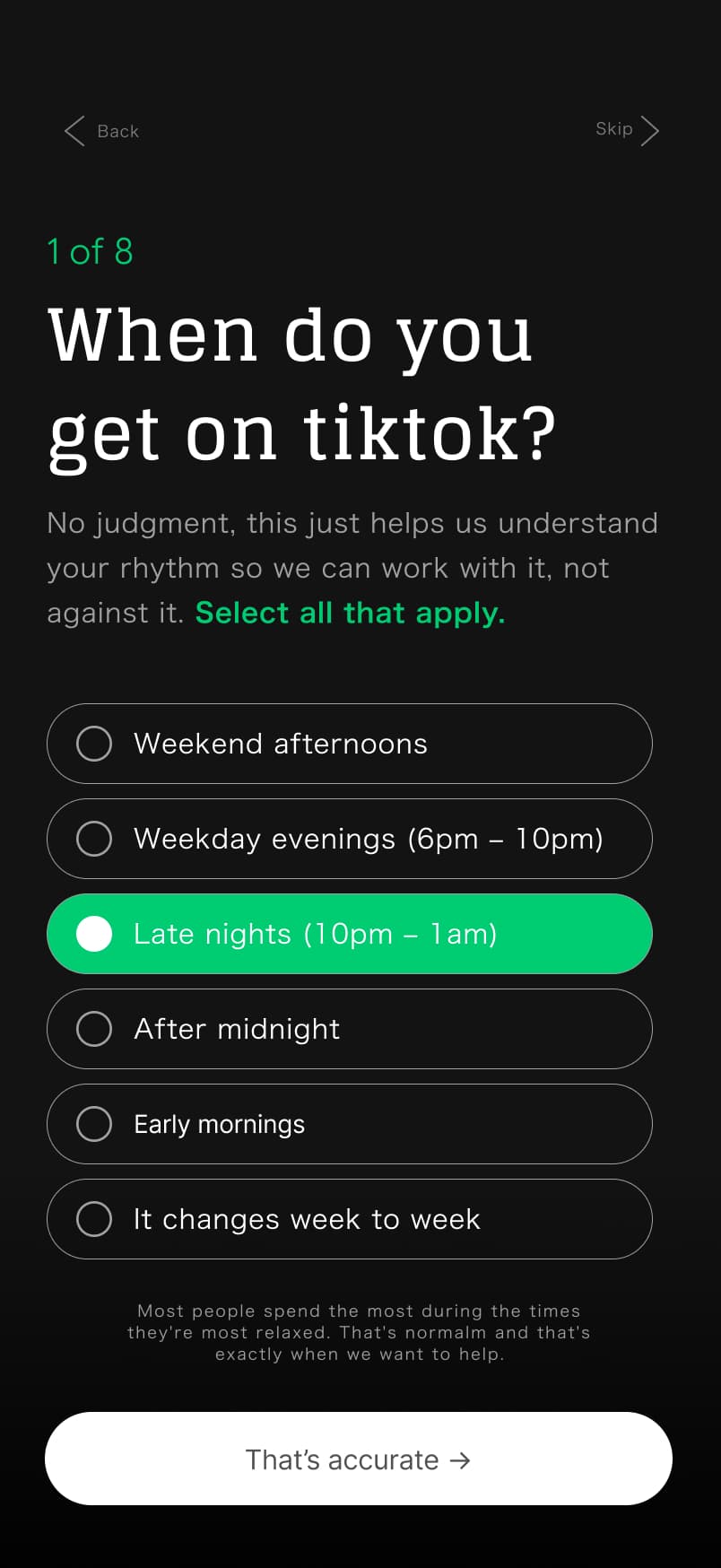
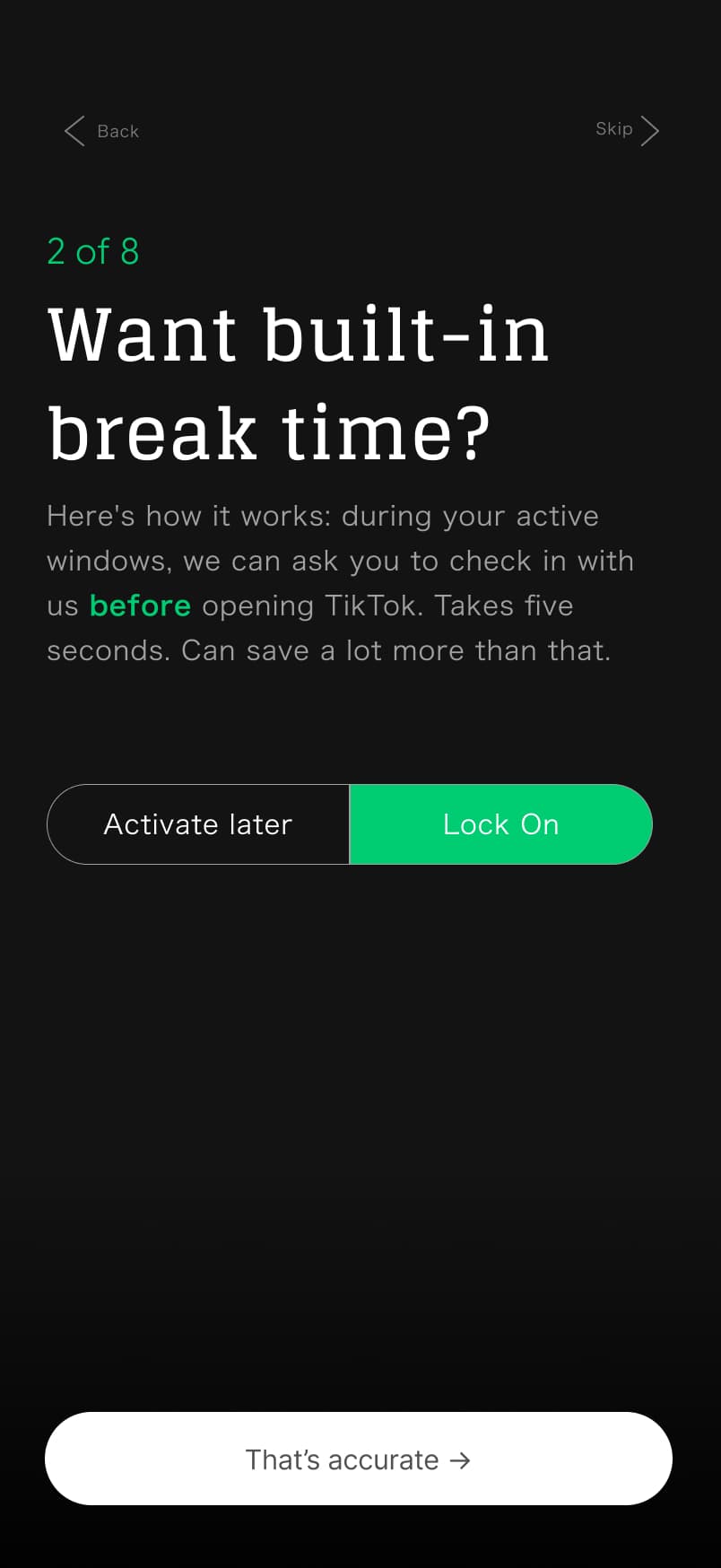
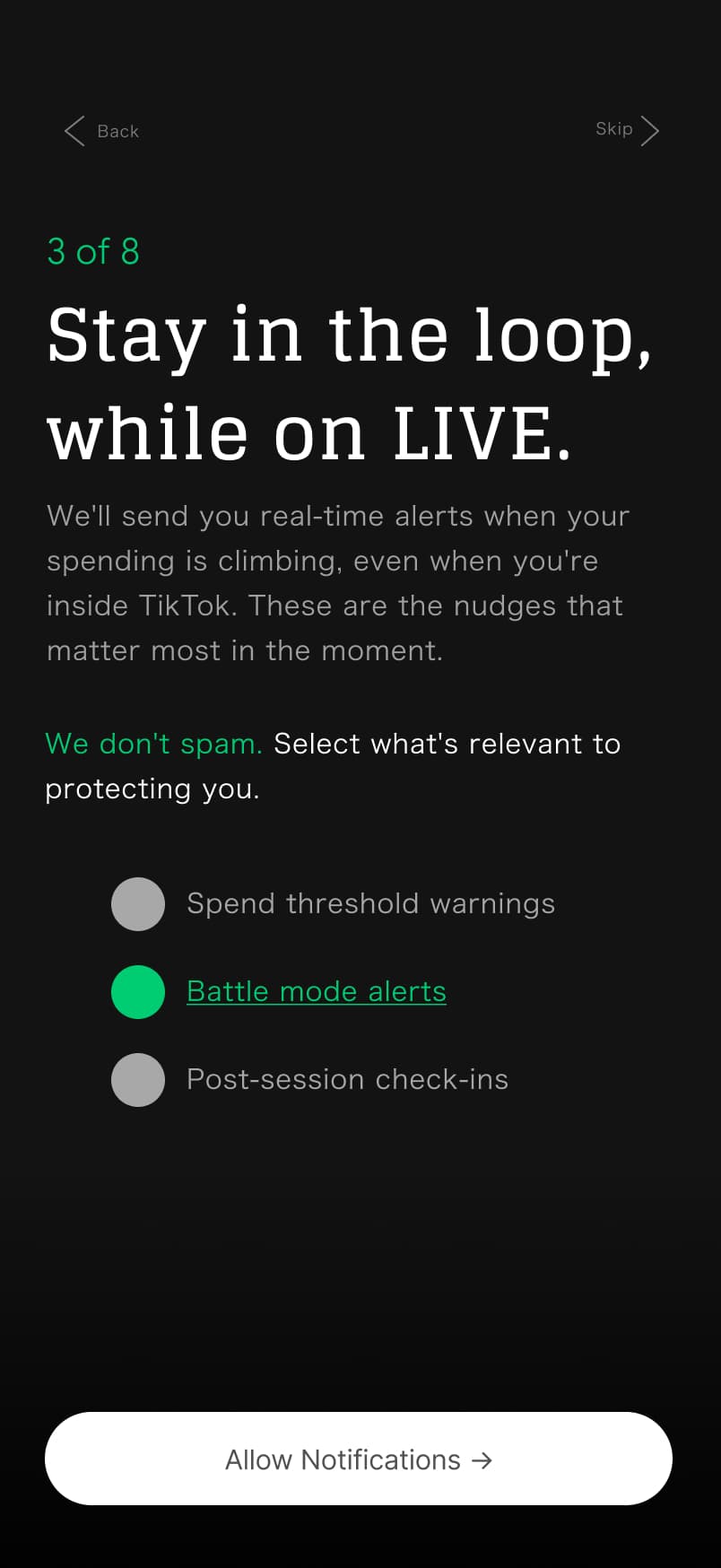
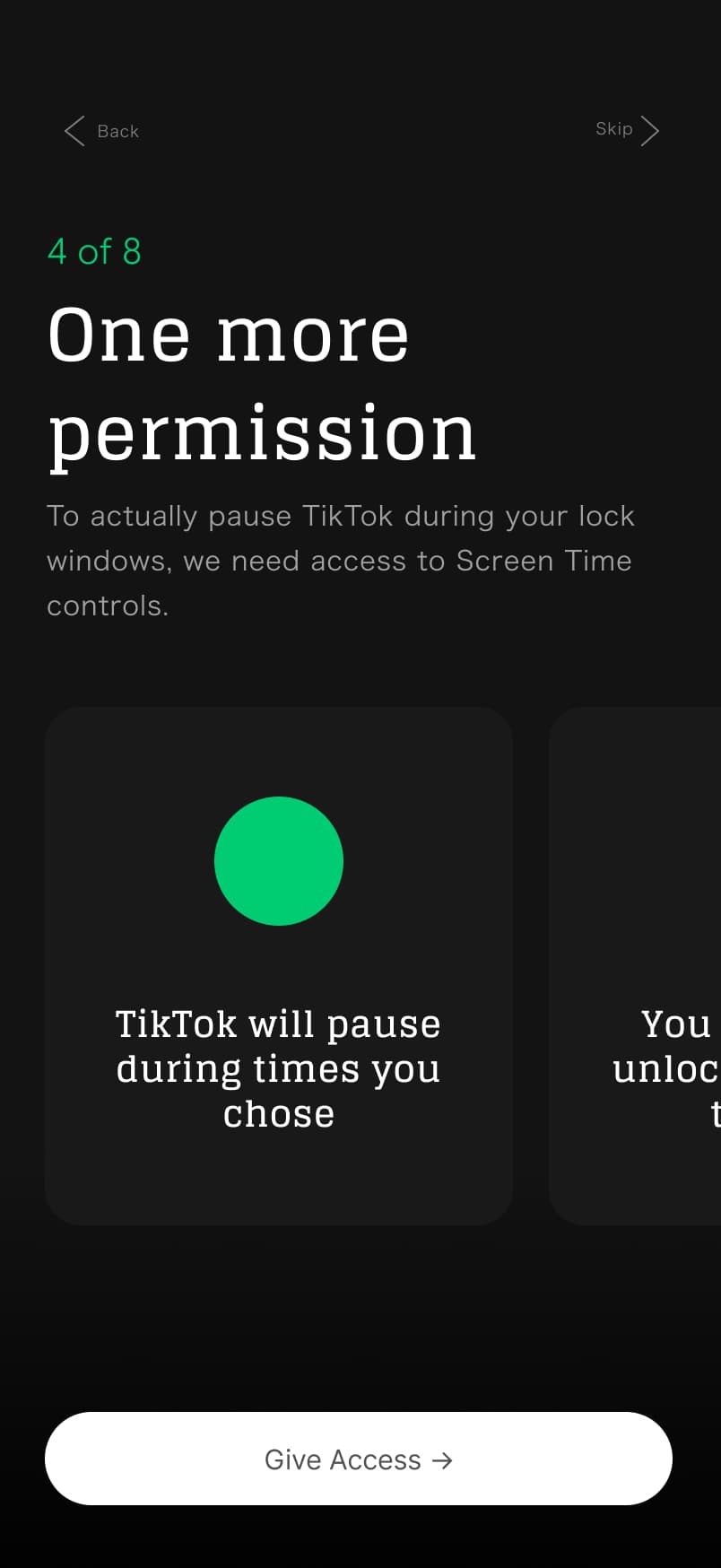
The onboarding flow sets up a personalized protection profile in 14 screens. It discovers active times, sets a budget, identifies creators, maps emotional triggers, and configures battle behavior before a single gift is sent.
PROTOTYPE V1
Give freely. Spend wisely.
Walk through the full onboarding flow and budget dashboard in the interactive prototype.
AI INTEGRATION · LAYER 1 OF 3
Every comparison is generated live by Claude.
The emotion-aware copy that reframes spend isn't static. Claude Haiku 4.5 generates a fresh, contextual comparison on every trigger, accounting for amount, category, time of day, and conversation history so it never repeats.
Spend data
Amount, category, time of day
→
Context assembly
History injected to prevent repeat comparisons
→
Claude Haiku 4.5
60 max tokens · Anthropic
→
Comparison line
Rendered in < 1s at 5 points in the app
Example API call
If the API is unavailable, a tier-lookup table of 40+ pre-written comparisons fires instantly. The experience never breaks in demo.
AI PERSONALIZATION · LAYER 2 OF 3
A profile built from your answers. Not a default.
After onboarding, Claude classifies each user into one of four types and generates a personalization object: 13 copy and behavior fields, stored locally and used to shape every surface in the app. It fires once. It never repeats unless the user recalibrates.
Four user types
The Protector
Tier 3 risk · hidden spending · bills delayed
Override headline
"You set this limit for a reason."
Comparison tone
Grounding, real-dollar equivalents
Streak copy
Every day you hold the line is a day you chose yourself.
The Fan
Emotional support trigger · one creator >50%
Override headline
"You care about this creator."
Comparison tone
Warm, relational framing
Streak copy
Supporting creators means being here next week too.
The Competitor
Battle-heavy · achievement-driven · late night
Override headline
"The battle will end."
Comparison tone
Direct, no filler
Streak copy
Longest streak this month. Don't break it now.
The Aware Spender
Tier 1 · data-curious · wants visibility
Override headline
"Here's where you stand."
Comparison tone
Informational, just the data
Streak copy
Seven days under budget. Your data is looking good.
What adapts beyond copy
Dashboard card order
What you see first depends on your biggest risk signal.
Override checkpoint
Headline and sub-text match your specific trigger.
Reflection prompt
The question asked after a session fits your pattern.
Comparison tone
Warm, direct, grounding, or informational per profile.
Budget warnings
80% and 100% messages written for your motivation style.
Notification copy
Pre-session alert written for how you respond to prompts.
Visual intensity
Amber warning thresholds scale with your risk tier.
Hidden features
Irrelevant UI (badges, social) suppressed per profile.
JOURNAL LEARNING · LAYER 3 OF 3
The app learns from what you write.
Onboarding captures what users say about themselves. Journals reveal what they actually feel. After each entry, Claude analyzes the text for emotional signals and returns a delta -- only the fields that should change. The profile evolves without the user having to do anything differently.
Three layers of intelligence
Ephemeral
Comparison values
Generated on every trigger. Reads spend amount, category, time of day, history.
Persistent
Onboarding profile
Generated once post-onboarding. Shapes copy, layout, protection defaults, hidden features.
Evolving
Journal learning
Delta updates after each journal entry. Reveals true triggers vs. self-reported onboarding answers.
Signal detection
Example -- journal entry to profile delta
Journal entries are analyzed privately and never stored on a server. The delta is merged into the local profile -- only changed fields are written back. Users opt in after their third entry and can recalibrate at any time.
PROTOTYPE V2
Refined with Figma. Powered by the same AI.
V2 takes the same AI personalization system and wraps it in a UI refined directly from Figma designs.
User Testing
What 4 testers taught us.
4 participants. Remote sessions. Think-aloud protocol. 9 tasks across the full onboarding and main app flow, with audio recorded throughout.
Task Completion
| Task | T1 | T2 | T3 | T4 |
|---|---|---|---|---|
| Understand the app | ||||
| Set a budget | ||||
| Add creators | ||||
| Complete onboarding | ||||
| Log a gift | ||||
| Check spending | ||||
| Find the rewards | ||||
| Override the limit | ||||
| Find reflection tools |
Next Steps
Resurface the override entry point. The spending lock needs to be something users encounter naturally, not hunt for.
Add a quick-reference or FAQ accessible from settings so users can understand the app's full behavior after onboarding.
Run a second test round with the redesigned intervention flow before committing to a production build.
FEATURE RATIONALE
Features that earn their place.
Every card in Gift Guard maps to a behavioral insight from the research. Here's what we built and why it holds up.
$43 Spent
$107 left
Users had no mental model of their weekly spend until it was already gone. The pill anchors awareness to a real budget boundary, broken into daily segments, so the overspend signal arrives while there's still time to act.
What you could've bought:
A full month at the gym. Two months of Spotify Premium. Same $43.
8 of 9 surveyed gifters said they never connected their TikTok spending to real-world equivalents. This AI card reframes the same dollars as something tangible, creating perspective without judgment.






Abstract restraint doesn't sustain behavior change. Visible identity does. The badge card makes spending less feel like becoming someone, a progression worth protecting.
Loss aversion is more motivating than reward anticipation. A streak that can be broken creates a healthy version of that pressure, one that works for the user, not against them.
Weekly Total:
$122.54
You're $27.46 under your weekly budget.
7 of 9 participants said they didn't know their weekly total until their bank statement arrived. This card surfaces it at the moment it can still influence behavior.
Color-coded merchant monograms make it immediately clear which recharge method the user reaches for most. Pattern recognition is the first step to pattern disruption.
When You Spend
Morning
6am–12pm
Afternoon
12pm–6pm
Evening
6pm–10pm
Late Night
10pm–2am
Overnight
2am–6am
You spend 3× more after 10pm than any other time.
Late-night sessions produced the highest spend-per-minute in our data. Showing the time-of-day breakdown gives users a behavioral mirror. Most people don't see the pattern until it's charted.
Lets
Check in
You've spent $43.56 over your weekly budget. How does that make you feel?
That took real effort. 14-day streak holds.
The most-requested feature in our research was emotional acknowledgment without judgment. The emoji scale makes reflection low-stakes enough to actually happen.
This week's prompt
When do you feel most in control of your gifting, and what's different about those moments?
Apr 28
Friday nights are my weakness. Going to try a Friday-specific limit next week.
Open-ended journaling fails. Structured, AI-personalized prompts tied to the user's own spending data create the specificity that drives genuine reflection.

Commitment devices (real money on the line for a behavioral goal) are among the most evidence-backed tools in behavioral economics. This card makes that contract tangible, visual, and reversible.
$43 Spent
$107 left
Users had no mental model of their weekly spend until it was already gone. The pill anchors awareness to a real budget boundary, broken into daily segments, so the overspend signal arrives while there's still time to act.
What you could've bought:
A full month at the gym. Two months of Spotify Premium. Same $43.
8 of 9 surveyed gifters said they never connected their TikTok spending to real-world equivalents. This AI card reframes the same dollars as something tangible, creating perspective without judgment.
Abstract restraint doesn't sustain behavior change. Visible identity does. The badge card makes spending less feel like becoming someone, a progression worth protecting.
Loss aversion is more motivating than reward anticipation. A streak that can be broken creates a healthy version of that pressure, one that works for the user, not against them.
Weekly Total:
$122.54
You're $27.46 under your weekly budget.
7 of 9 participants said they didn't know their weekly total until their bank statement arrived. This card surfaces it at the moment it can still influence behavior.
Color-coded merchant monograms make it immediately clear which recharge method the user reaches for most. Pattern recognition is the first step to pattern disruption.
When You Spend
Morning
6am–12pm
Afternoon
12pm–6pm
Evening
6pm–10pm
Late Night
10pm–2am
Overnight
2am–6am
You spend 3× more after 10pm than any other time.
Late-night sessions produced the highest spend-per-minute in our data. Showing the time-of-day breakdown gives users a behavioral mirror. Most people don't see the pattern until it's charted.
Lets
Check in
You've spent $43.56 over your weekly budget. How does that make you feel?
That took real effort. 14-day streak holds.
The most-requested feature in our research was emotional acknowledgment without judgment. The emoji scale makes reflection low-stakes enough to actually happen.
This week's prompt
When do you feel most in control of your gifting, and what's different about those moments?
Apr 28
Friday nights are my weakness. Going to try a Friday-specific limit next week.
Open-ended journaling fails. Structured, AI-personalized prompts tied to the user's own spending data create the specificity that drives genuine reflection.
Commitment devices (real money on the line for a behavioral goal) are among the most evidence-backed tools in behavioral economics. This card makes that contract tangible, visual, and reversible.
Prototype V3
The Final Prototype.
Refined from user testing findings. This is the version currently being iterated on.
What Came Next
This project led to something new.
Running user testing for Gift Guard exposed how clunky and unreliable the process can be. I ended up building TestPilot, a niche product that makes remote user testing streamlined and accurate, so the behavior you observe actually reflects how real users think.