21:45
21:45
Sunday, May 24
Gift Guard
TikTok
Safari
Before you begin
Click “Start Session” in the TestPilot panel on the right when you're ready.
Your microphone will be recorded
Audio recording begins the moment you start the session.
Think out loud the entire time
Say everything you notice, every action you take, and everything going through your head, as much as you possibly can. There are no wrong answers.
It's okay to skip a task
If you get stuck or can't complete a task, use the arrows in the panel to move on to the next one.
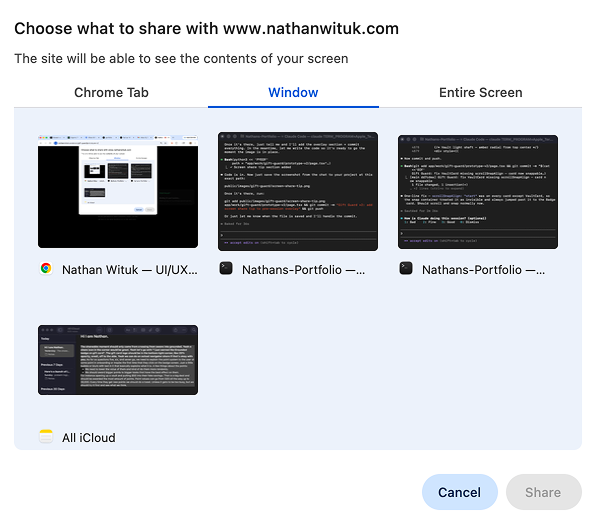
Allow your whole window to be recorded
When the screen share prompt appears, click the Window tab and select the browser window, not the Chrome Tab. Chrome tabs sometimes don't work.
This session will record
· Microphone audio
· Screen capture